[CentOS] 07. Samba 서버 구성
카테고리: CENTOS
🔔 공유 폴더 (익명 포함)
■ samba 설치
$ dnf -y install samba
■ samba 구성
$ mkdir /home/share

$ chmod 777 /home/share

$ vi /etc/samba/smb.conf

[global]
        # 문자셋 설정
        unix charset = UTF-8
        workgroup = SAMBA
        security = user
        # 액세스를 허용하는 IP 주소
        hosts allow = 192.168.219.0/24
        # 사용자 로그인 시 비밀번호가 잘못되었을 경우 로그인이 거부되며,
        # 사용자 이름이 존재하지 않는 경우 게스트 로그인으로 처리되어 게스트 계정으로 매핑된다.
        map to guest = Bad User

...


[Share]
        # 공유 디렉터리 지정
        path = /home/share
        # 쓰기 허용
        writable = yes
        # 게스트 사용자 허용
        guest ok = yes
        # 게스트 사용자로 모두 표시
        guest only = yes
        # 파일을 만들 때 사용 권한 [사용 권한] 설정
        force create mode = 777
        # 폴더를 만들 때 [사용 권한] 설정
        force directory mode = 777

$ systemctl enable --now smb
■ SELinux가 실행되고 예제와 같이 /home도 사용하는 경우 SELinux 정책을 변경
$ setsebool -P samba_enable_home_dirs on

$ restorecon -R /home/share
■ 방화벽이 실행 중인 경우 Samba 서비스를 허용
$ firewall-cmd --add-service=samba
success

$ firewall-cmd --runtime-to-permanent
success
■ 확인
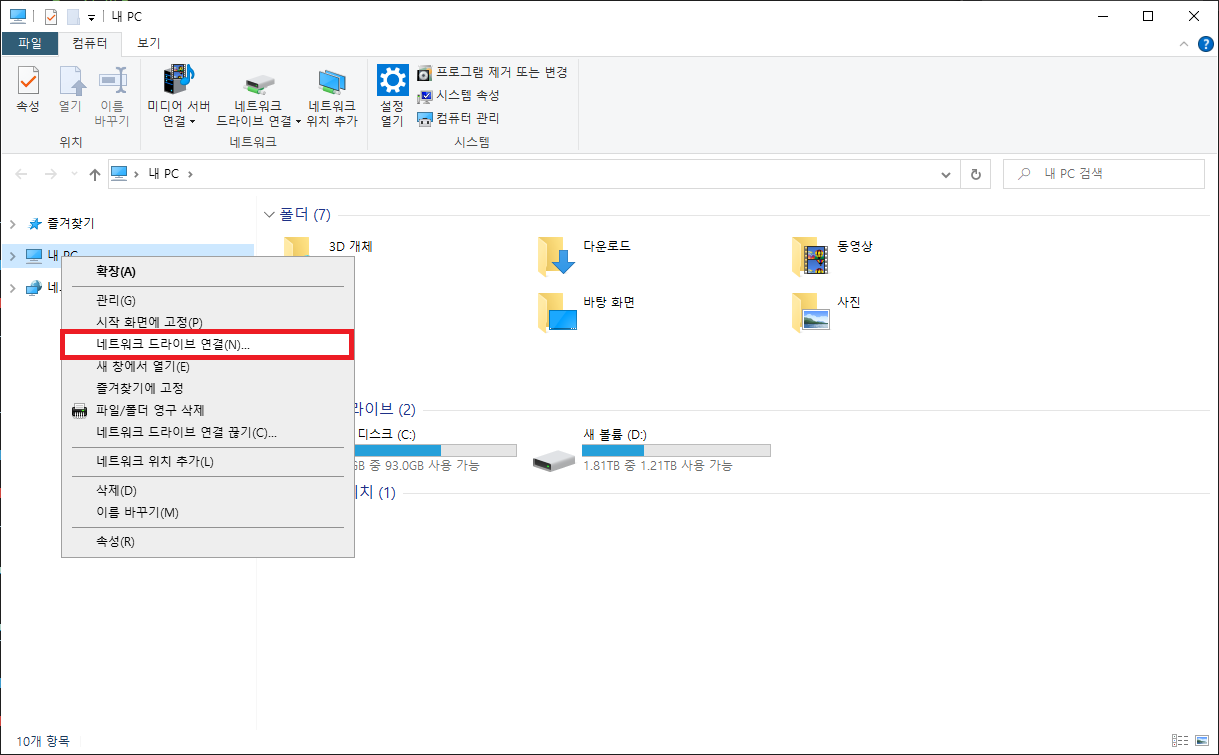
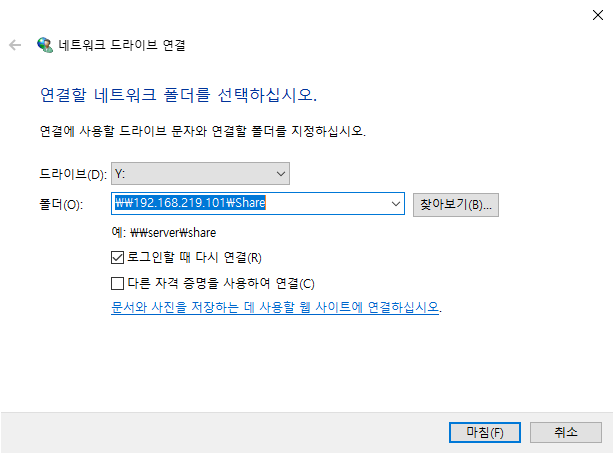
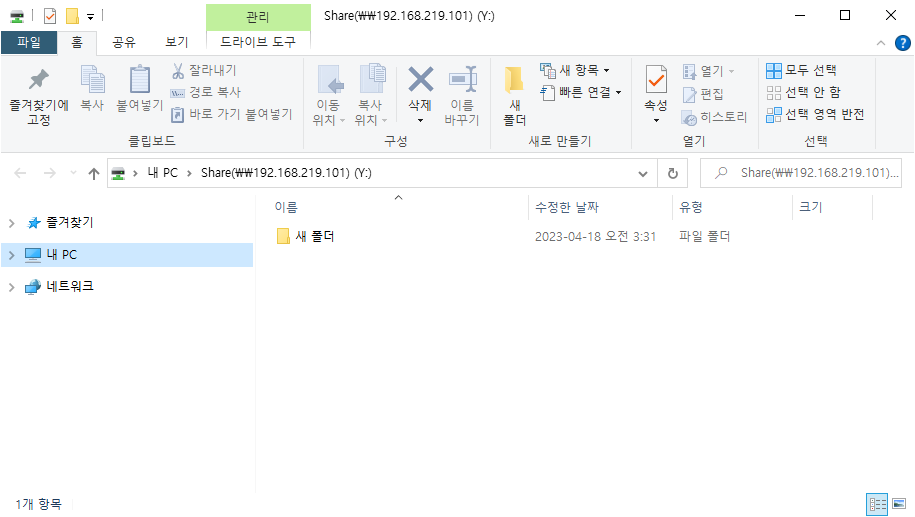
🔔 제한된 공유 폴더
■ samba 구성
$ groupadd smbgroup01
$ mkdir /home/share01
$ chgrp smbgroup01 /home/share01
$ chmod 770 /home/share01

$ vi /etc/samba/smb.conf

[global]
        # 문자셋 설정
        unix charset = UTF-8
        workgroup = SAMBA
        security = user
        # 액세스를 허용하는 IP 주소
        hosts allow = 192.168.219.0/24

...


[Share01]
        # 공유 디렉터리 지정
        path = /home/share01
        # 쓰기 허용
        writable = yes
        # 게스트 사용자 허용 안 함
        guest ok = no
        # [smbgroup01] 그룹만 허용
        valid users = @smbgroup01
        # 새 파일/디렉토리에 대한 그룹을 [smbgroup01]로 설정
        force group = smbgroup01
        # 파일 생성시 권한 설정 [770]
        force create mode = 770
        # 폴더 생성시 권한 설정 [770]
        force directory mode = 770
        # 상위 폴더에서 권한 상속
        inherit permissions = yes

$ systemctl enable --now smb


$ useradd test3
$ smbpasswd -a test3
New SMB password:     # password 설정
Retype new SMB password:
Added user test3.
$ usermod -aG smbgroup01 test3
■ SELinux가 실행되고 예제와 같이 /home도 사용하는 경우 SELinux 정책을 변경
$ setsebool -P samba_enable_home_dirs on

$ restorecon -R /home/share
■ 방화벽이 실행 중인 경우 Samba 서비스를 허용
$ firewall-cmd --add-service=samba
success

$ firewall-cmd --runtime-to-permanent
success
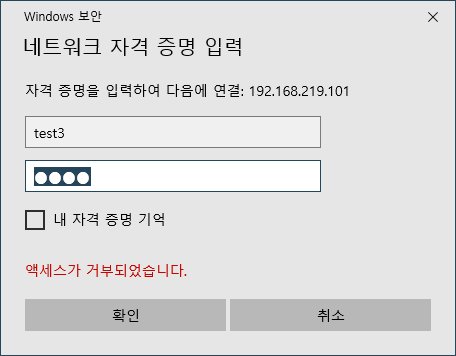
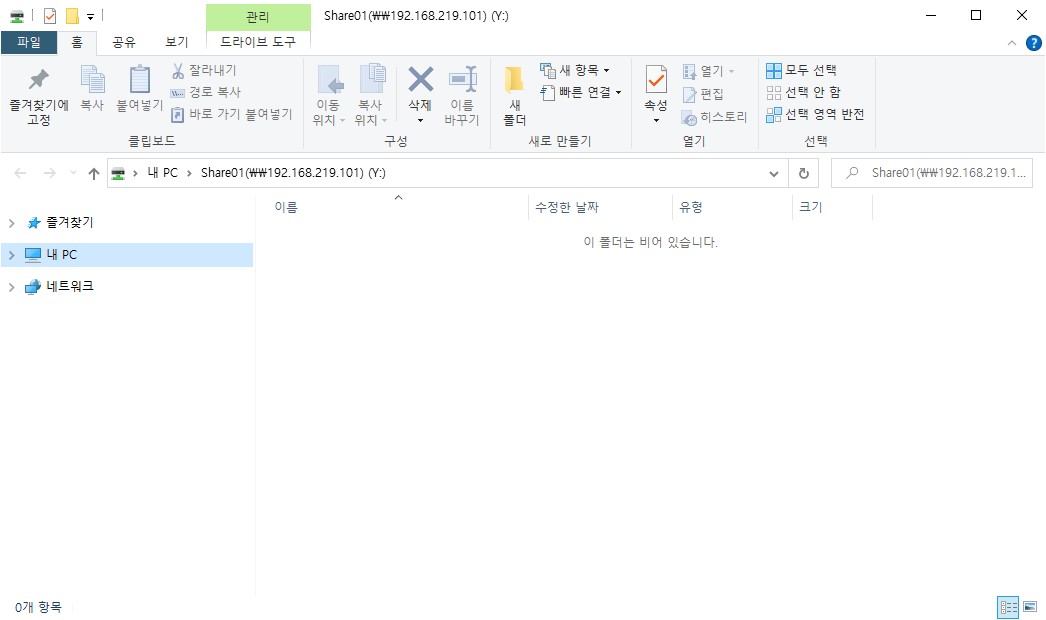
■ 확인
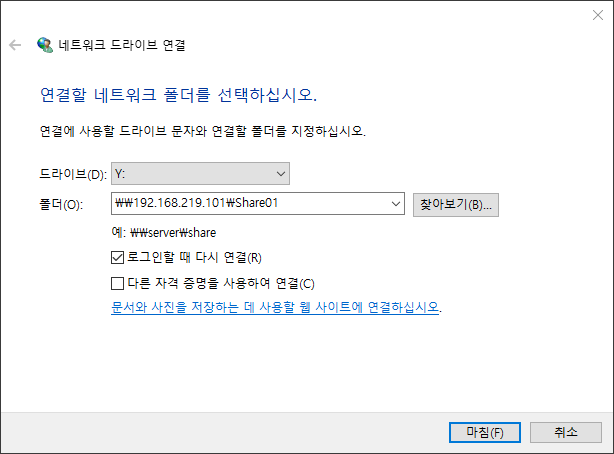
🔔 CentOS Stream 클라이언트
$ dnf -y install samba-client cifs-utils


# [smbclient] 명령 액세스 사용
# smbclient (share name) -U (user name)
$ smbclient '\\dlp.test.srv\Share01' -U test3
Password for [SAMBA\test3]:
Try "help" to get a list of possible commands.
smb: \> ls
  .                                   D        0  Tue Apr 18 03:54:35 2023
  ..                                  D        0  Tue Apr 18 03:43:44 2023
  Testdir                             D        0  Tue Apr 18 03:54:18 2023
  File.txt                            N        0  Tue Apr 18 03:54:35 2023

                17811456 blocks of size 1024. 16089172 blocks available


# 파일 다운로드
$ smb: \> mget File.txt
Get file File.txt? y
getting file \File.txt of size 0 as File.txt (0.0 KiloBytes/sec) (average 0.0 KiloBytes/sec)
smb: \> !ls
anaconda-ks.cfg  File.txt
smb: \> exit

# 마운트
# [vers=(SMB protocol version)]
$ mount -t cifs -o vers=3.0,username=test3 '\\dlp.test.srv\Share01' /mnt
Password for test3@\\dlp.test.srv\Share01:

# 인증이 필요하지 않은 경우
$ mount -t cifs -o vers=3,username=none,password=none '\\dlp.test.srv\Share' /mnt

$ df -hT
Filesystem             Type      Size  Used Avail Use% Mounted on
devtmpfs               devtmpfs  4.0M     0  4.0M   0% /dev
tmpfs                  tmpfs     369M     0  369M   0% /dev/shm
tmpfs                  tmpfs     148M  4.6M  143M   4% /run
/dev/mapper/rl-root    xfs        17G  1.7G   16G  10% /
/dev/nvme0n1p1         xfs      1014M  243M  772M  24% /boot
tmpfs                  tmpfs      74M     0   74M   0% /run/user/0
//dlp.test.srv/Share01 cifs       17G  1.7G   16G  10% /mnt
댓글 남기기