[Ansible] 07. Loop (2)
카테고리: ANSIBLE
태그: ansible
[Ansible] 07. Loop (2)
🔔 자세한 모듈 내용은 아래 문서를 참고
모듈 내용 : https://docs.ansible.com/ansible/latest/collections/ansible/builtin/index.html#modules
예제 Github : https://github.com/revenge1005/Ansible_study
📜 6. Looping over Parallel Sets of Data - with_together
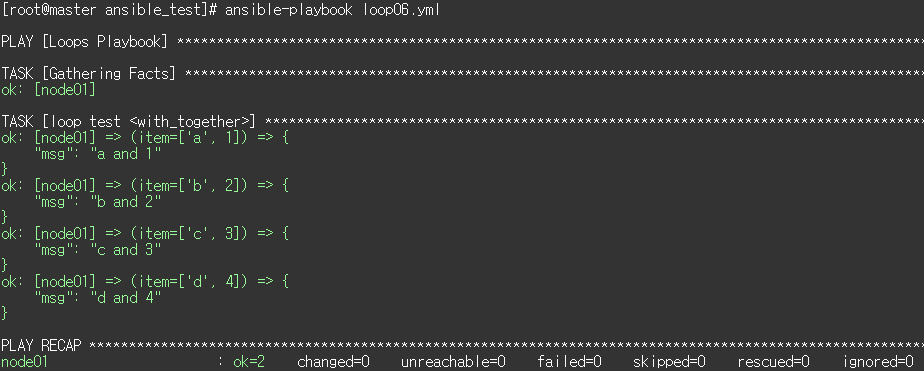
# 두 list를 짝지어서 loop를 돌리고 싶은 경우 with_together을 사용함.
# 이 경우, 아래 실행 결과는 (a,1), (b,2), ...

$ cat <<EOF > loop06.yml
---
- name: Loops Playbook
  hosts: node01
  become: yes

  vars:
    alpha: [ 'a', 'b', 'c', 'd' ]
    numbers:  [ 1, 2, 3, 4 ]


  tasks:
  - name: loop test <with_together>
    debug:
      msg: "{{ item.0 }} and {{ item.1 }}"
    with_together:
       - "{{ alpha }}"
       - "{{ numbers }}"
EOF
📜 7. Looping over Subelements - with_subelements
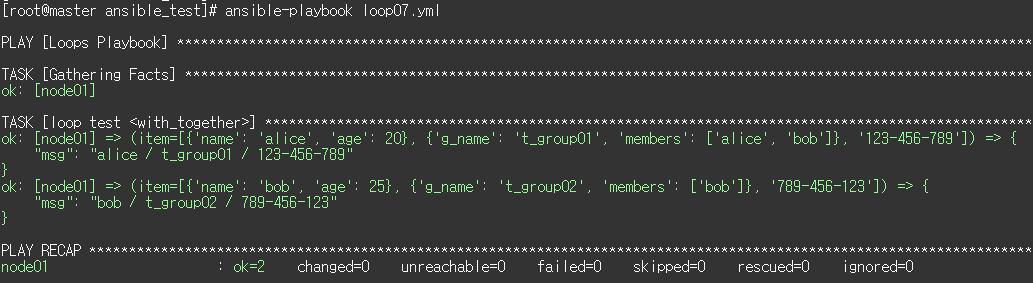
# list의 element 하위 요소에 대해 중첩 loop를 사용하고 싶을 때 with_subelements을 이용함

$ cat loop07.yml
---
- name: Loops Playbook
  hosts: node01
  become: yes

  vars:
    users:
    - name: alice
      age: 20
    - name: bob
      age: 25

    group:
    - g_name: t_group01
      members:
        - alice
        - bob
    - g_name: t_group02
      members:
        - bob

  tasks:
  - name: loop test <with_together>
    debug:
      msg: "{{ item.0.name }} / {{ item.1.g_name }} / {{ item.2 }}"
    with_together:
       - "{{ users }}"
       - "{{ group }}"
       - [ '123-456-789', '789-456-123' ]
EOF
📜 8. Looping over Integer Sequences - with_sequence
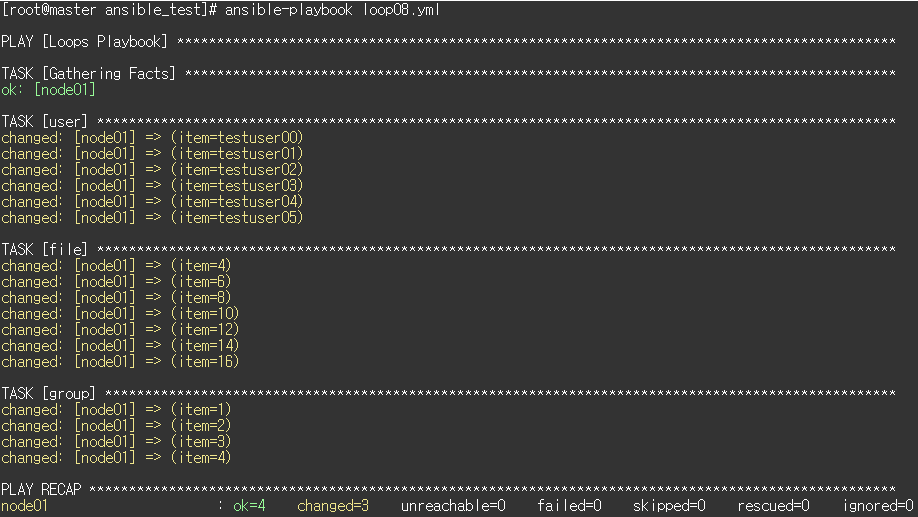
# 숫자들의 list를 생성(ascending order)해서 loop를 돌릴 때 with_sequence 사용.
# 아래와 같은 옵션 제공
# > start
# > end
# > stride: 증가 폭을 지정하는 step 옵션
# > format: printf style string

$ cat <<EOF > loop08.yml
---
- name: Loops Playbook
  hosts: node01
  become: yes

  tasks:
    # create some test users
    - user: name={{ item }} state=present
      with_sequence: start=0 end=5 format=testuser%02x

    # create a series of directories with even numbers for some reason
    - file: dest=/var/stuff/{{ item }} state=directory
      with_sequence: start=4 end=16 stride=2

    # a simpler way to use the sequence plugin
    - group: name=group{{ item }} state=present
      with_sequence: count=4
EOF
📜 9. Random Choices - with_random_choice
$ cat <<EOF > loop09.yml
---
- name: Loops Playbook
  hosts: node01
  become: yes

  tasks:
  - debug: msg={{ item }}
    with_random_choice:
       - "go through the door"
       - "drink from the goblet"
       - "press the red button"
       - "do nothing"
EOF
📜 10. Do-Until Loops - until
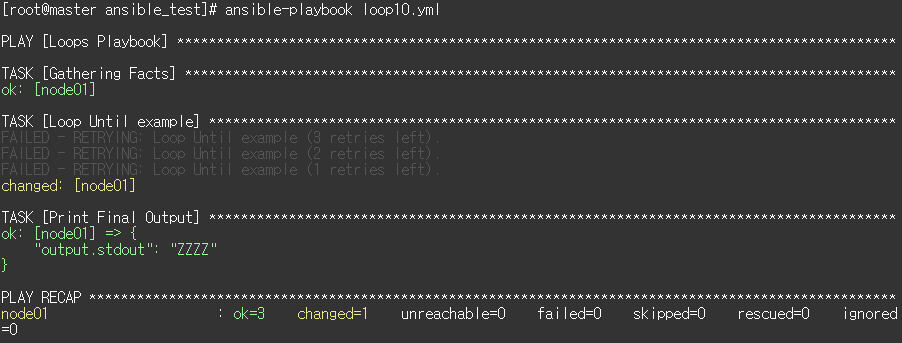
# do-until loop의 실행 결과는 마지막 실행 결과가 task의 실행결과로 리턴됨.
# 개별 retry의 결과를 보고 싶으면 -vv 옵션 사용하면 되며 시도 횟수는 result.attempts에 남음.
# > until: exit 조건
# > retries: 반복 회수
# > delay: 매 실행 시마다 delay

$ cat <<EOF > loop10.yml
---
- name: Loops Playbook
  hosts: node01
  become: yes

  tasks:
  - name: Loop Until example
    shell: echo -n Z >> myfile.txt && cat myfile.txt
    register: output
    delay: 2    # 매 실행 시마다 delay
    retries: 3 # 반복 횟수
    until: output.stdout.find("ZZZZ") == false # exit 조건

  - name: Print Final Output
    debug:
      var: output.stdout
EOF
댓글 남기기